
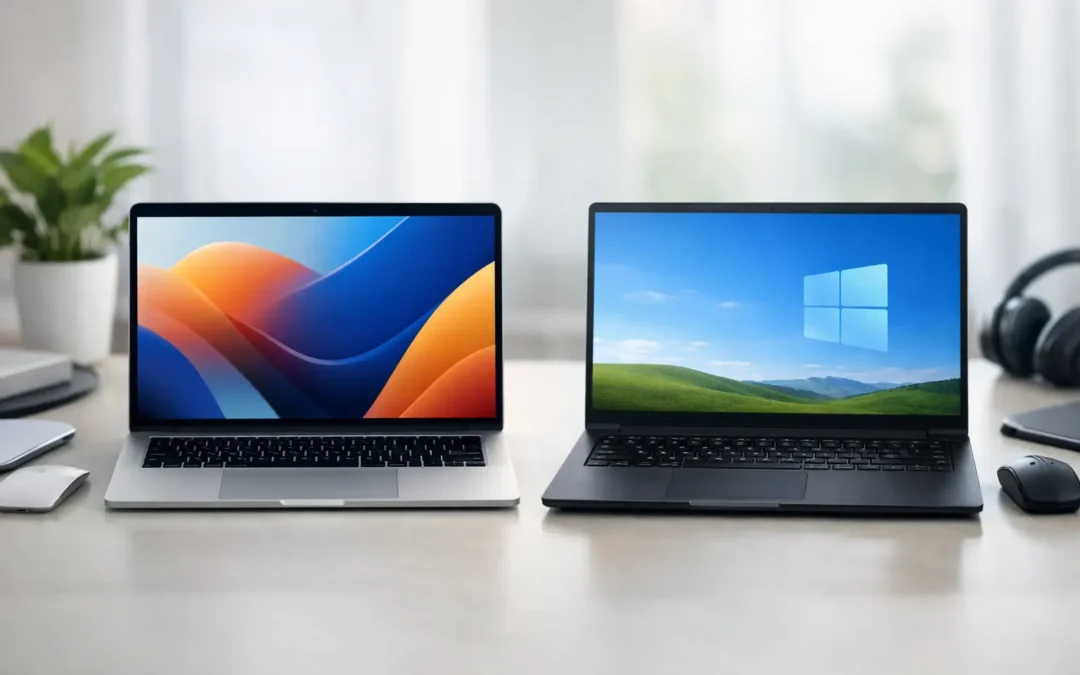
A laptop that looks great on the shelf can still be the wrong choice when it will not run the software your office needs, fit your budget, or handle a repair sensibly. The Mac versus Windows decision is less about picking a winner and more about choosing the computer that supports how you actually work, study, create, and communicate.
Mac versus Windows: Start With How You Work
Mac computers and Windows PCs can both handle email, web browsing, video calls, documents, streaming, and everyday business tasks very well. The meaningful differences show up in the details: the programs you rely on, the devices you already own, how much flexibility you want, and what you expect to spend now and over time.
A Mac is often a strong fit for someone already using an iPhone, iPad, or other Apple devices. Apple builds its hardware and software together, which can make the experience feel consistent from one device to the next. Many users also appreciate the clean interface, strong battery performance on recent MacBooks, and fewer choices to sort through when buying.
Windows is often the more practical choice when you need specific business software, engineering tools, games, upgrade options, or a lower purchase price. Windows PCs come from many manufacturers and are available in a much wider range of sizes, configurations, and price points. That variety is useful, but it also means quality can vary greatly between models.
Cost Is More Than the Price Tag
A Mac usually costs more upfront than a basic Windows laptop. Apple hardware is positioned as premium equipment, and even entry-level MacBooks can cost more than many capable Windows systems. For buyers with a fixed budget, Windows offers more options under the same spending limit.
That does not automatically make a less expensive PC the better value. A well-built Windows laptop with enough memory, storage, and a dependable charger may serve you far better than the cheapest model available. Similarly, a Mac can remain useful for years when it has the specifications needed for your work from the start.
When comparing prices, look beyond the computer itself. Consider whether you will need a docking station, monitor adapter, replacement charger, external storage, keyboard, mouse, antivirus software, or Microsoft 365 subscription. These additions can change the real cost of ownership.
For a small business, downtime matters too. A computer that is hard to repair, has an unavailable part, or cannot run a required application can become more expensive than its original price suggests. Buying a device that suits the job is usually better than buying solely on brand or the lowest advertised cost.
Software Compatibility Can Make the Choice Easy
For many people, software decides Mac versus Windows before hardware even enters the conversation. Windows remains the standard platform for a large share of business, accounting, enterprise, technical, and industry-specific applications. If your workplace gives you a list of required programs, confirm they run on your preferred computer before you buy.
Mac computers support a broad range of popular applications, including office suites, creative software, browsers, communication platforms, and cloud-based tools. They are especially common among users doing photo editing, video work, music production, and design. Still, a creative professional should check the exact features, plug-ins, file workflows, and storage requirements they need.
Gamers will generally find more choices on Windows. Many games are released for Windows first, and Windows PCs can be configured with dedicated graphics cards designed for demanding gameplay. A Mac can handle casual gaming and selected titles, but it is not usually the first recommendation for someone buying primarily to play new, graphics-intensive games.
Web-based work has narrowed the gap. If your day happens mostly in a browser, through email, documents, cloud storage, and video meetings, either platform may be suitable. The best decision then comes down to budget, comfort, accessories, and long-term support.
Hardware Choice and Upgrade Flexibility
Windows gives buyers more freedom to choose exactly what they need. You can find compact laptops for students, durable business models, large-screen desktop replacements, high-powered workstations, and custom desktop PCs. On many Windows desktops, memory, storage, graphics cards, and power supplies can be upgraded or replaced as needs change.
Mac hardware is more controlled. Apple offers a smaller number of models with fewer configuration paths, making the buying process simpler. The trade-off is that many modern Macs have memory and storage integrated into the system, so upgrades after purchase are limited or not possible. It is wise to choose enough storage and memory at the beginning, especially if you work with large files or expect to keep the computer for several years.
Ports also deserve attention. Some newer laptops use USB-C or Thunderbolt connections for charging, displays, and accessories. That can be convenient, but you may need an adapter for older USB devices, HDMI displays, wired networks, or SD cards. Before purchasing, take inventory of the accessories you use every day.
Security and Reliability Need Good Habits
Both macOS and Windows include built-in security features, and both can be used safely. Macs have a reputation for security, but no computer is immune to phishing emails, fake pop-ups, weak passwords, or unsafe downloads. Windows is a frequent target because it is widely used, but a properly updated Windows PC with sensible security practices can be dependable for daily work.
The basics matter on either platform: install system updates, use strong unique passwords, turn on multi-factor authentication, keep reliable backups, and avoid giving remote access to unsolicited callers. Security problems are often caused by a rushed click rather than the operating system itself.
Reliability also depends on care. Heat, liquid exposure, failing batteries, worn charging ports, damaged cables, and full storage can affect any computer. A slow device does not always need replacement. It may need a proper diagnosis, storage cleanup, battery service, software repair, or a compatible replacement part.
Repairs: What Happens When Something Goes Wrong?
Repairability is an overlooked part of buying a computer. Windows PCs vary widely. Some are straightforward to open and service, while others use compact designs that make repair more involved. Parts availability also depends on the manufacturer and model.
Mac repairs require model-specific knowledge, quality parts, and careful handling. Screen damage, liquid exposure, charging problems, battery wear, keyboard faults, and storage issues can all affect a MacBook differently depending on its generation. The right diagnosis matters because symptoms that look alike can have very different causes.
Before approving any repair, ask for a clear explanation of the issue, expected turnaround time, whether your data is at risk, and the cost of parts and labor. A professional technician should help you understand your options without pressuring you into a repair that does not make financial sense.
For customers who need support with either platform, Stealth PC Technology can assess Mac and Windows hardware issues with practical recommendations and an honest, compassionate quote.
Which One Should You Buy?
Choose a Mac if you value the Apple ecosystem, prefer a focused lineup of premium hardware, use creative applications that work well on macOS, or want a computer that feels familiar alongside your iPhone and iPad. It can be an excellent long-term choice when you select the right specifications from the beginning.
Choose Windows if you need maximum software compatibility, gaming options, broad hardware choice, easier upgrade paths, or more price flexibility. It is particularly practical for users whose school, office, or industry depends on Windows-only programs.
There is no need to treat the choice as a loyalty test. A dependable computer is one that runs the tools you need, fits your budget, works with your accessories, and can be supported when a problem interrupts your day. Before you purchase, write down the programs and devices you cannot do without, then compare actual models against that list. That small step can prevent an expensive mismatch later.