
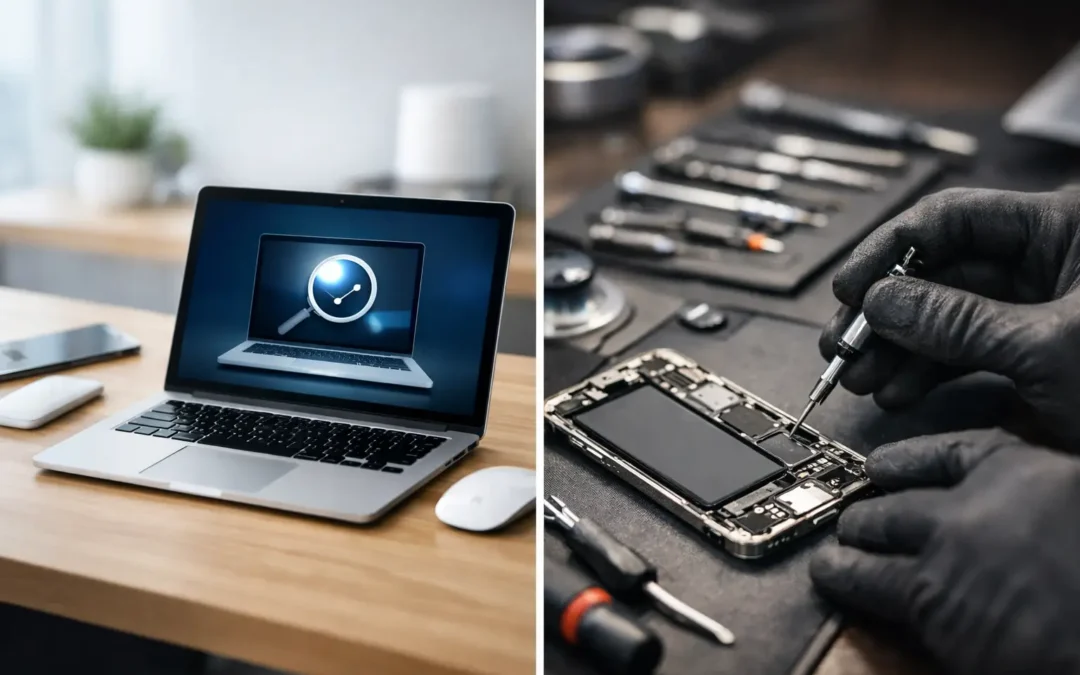
A MacBook that will not charge, a screen that flickers, or an iMac that suddenly slows down can put work, school, and business on hold. The choice between apple diagnostics vs third party repair is not simply about where you get the device fixed. It affects how the fault is identified, what parts may be used, how much you pay, and how confidently you can return to using your computer.
Apple’s own diagnostic process can be valuable, especially for a device still covered by warranty or AppleCare. A capable independent repair provider can be just as valuable when you need a clearer explanation, practical repair options, or help with a problem that does not show up as a simple error code. The right path depends on the device, the symptom, and what matters most to you.
What Apple Diagnostics Can Tell You
Apple Diagnostics is a built-in hardware testing tool available on many Macs. When started correctly, it checks selected components and may return a reference code related to areas such as memory, battery, wireless hardware, cooling, or internal sensors.
This is useful for narrowing down a fault. If the test identifies a likely battery concern, for example, you have a meaningful starting point. It can also help confirm that a problem is likely hardware-related rather than caused by a recent app, login item, or system setting.
However, a clean Apple Diagnostics result does not prove that nothing is wrong. Many real-world faults are intermittent. A charging port may work only at a certain angle. A display issue may appear after the computer warms up. Liquid exposure, board-level damage, failing storage, damaged cables, and software conflicts may not always trigger a clear diagnostic code.
Apple Diagnostics is a screening tool, not a complete repair plan. It does not inspect the full history of the device, determine whether a previous repair was completed correctly, recover your data, or explain every reason a Mac may be running poorly.
Apple Diagnostics vs Third Party Repair: The Key Difference
The central difference is the depth of assessment and the repair choices that follow. Apple Diagnostics checks for recognized hardware failures. A professional third-party repair process should combine testing with physical inspection, symptom history, power checks, software review where appropriate, and clear communication about findings.
A technician may ask questions that a built-in test cannot answer: Did the issue start after a drop? Has the MacBook been exposed to moisture? Does it fail only when connected to an external display? Is the battery draining during sleep? Does the computer restart while using a particular program?
Those details matter. Two machines can show the same symptom but require very different repairs. A MacBook that will not power on could have a failed battery, damaged charging cable, bad USB-C port, liquid damage, a display issue that makes the computer appear off, or a logic board fault. Replacing the first suspected part without proper testing can cost more and delay the real solution.
A quality independent repair provider should not treat every problem as a quick part swap. The goal should be to identify the cause, explain the options, and provide an honest and compassionate quote before work begins.
When Apple Service Is the Better Choice
Apple or an Apple Authorized Service Provider is often the best route when your device is under Apple’s limited warranty or covered by AppleCare. Coverage may reduce or eliminate the cost of an eligible repair, and service records can be handled within Apple’s official support system.
Official service is also worth considering when your repair requires genuine Apple parts and Apple’s post-repair configuration procedures. Certain newer Apple devices use paired components or require software calibration after replacement. Authorized providers have access to Apple’s official systems and processes for eligible repairs.
Choose official service when warranty coverage is your priority, when you want Apple’s prescribed repair path, or when the device has a complex issue that Apple has agreed to address. Before authorizing work, ask what is covered, what is not covered, how long the repair may take, and whether your data needs to be backed up first.
Be aware that an out-of-warranty official repair can sometimes be more expensive because the recommended solution may involve replacing a larger assembly rather than repairing a smaller failed component. That approach can be appropriate, but it is still reasonable to ask for the full estimate and understand your alternatives.
When Third-Party Repair Makes More Sense
Third-party repair can be a strong option for older Macs, out-of-warranty devices, and problems that need closer troubleshooting. It may also be preferable when you need a local professional to inspect a device quickly, explain the issue in plain language, and discuss repair choices based on your budget and the remaining value of the computer.
For example, an older MacBook with a worn battery may be worth repairing if the rest of the machine remains dependable. A small business owner with a desktop that will not boot may need data-focused troubleshooting before deciding whether replacement is the smarter investment. A student with charger trouble may only need a verified compatible adapter rather than an expensive internal repair.
Independent repair does not mean lower standards. It means you should evaluate the provider carefully. Ask whether the shop has experience with your Mac model, whether it provides a written estimate, what type of replacement part it recommends, and whether its work carries a repair warranty.
At Stealth PC Technology, the focus is on giving customers a practical diagnosis and a clear path forward, whether the answer is repair, replacement, or a simple accessory solution.
Parts Quality Is Not a Small Detail
Not all replacement parts are equal. Some repairs use genuine Apple parts, while others use high-quality aftermarket or refurbished components. The best choice depends on the device, the part, availability, cost, and your expectations for performance.
A low-priced screen or battery may look attractive at first, but poor-quality components can affect display color, battery life, fit, charging behavior, or long-term reliability. On the other hand, a carefully selected aftermarket part can be a sensible option for an older device where an official replacement cost is hard to justify.
A trustworthy technician will tell you what type of part is being offered. You should never have to guess whether a quote includes a genuine, refurbished, or aftermarket component.
Warranty and Repair History Need Careful Handling
Having a third party inspect or repair a device does not automatically erase every warranty right. Still, damage caused by an unauthorized repair, non-genuine parts, or modifications may affect Apple’s willingness to cover a related future issue. If your Mac is currently under warranty, ask questions before proceeding.
For out-of-warranty devices, the more useful question is often whether the repair itself is protected. A repair warranty gives you reassurance that the provider stands behind its labor and the part used. Get the terms in writing, including the warranty period and what it covers.
Do Not Ignore Data and Privacy
Any repair can involve risk to your information. Before handing over a Mac, back it up if the device still starts. Keep your FileVault recovery key in a safe place, know your Apple Account password, and remove sensitive files when possible.
A repair shop may need access to a test account to confirm that the issue is resolved, but it should not need unrestricted access to your personal documents, photos, or business records. Ask how the shop protects customer data, whether a password is required, and what happens if the repair requires an operating system reinstall.
If the Mac will not start and your data is critical, say so at the beginning. Data recovery priorities can change the repair approach. A rushed reset or replacement decision may not be the best first move.
Questions to Ask Before You Approve a Repair
A good repair experience begins before the device is opened. Whether you choose Apple service or an independent technician, ask for a diagnosis, a written quote, an estimated turnaround time, and an explanation of what happens if additional damage is found.
You should also ask whether the quoted repair addresses the confirmed fault or is simply the most likely next step. This distinction is especially important with liquid damage, power failures, and intermittent problems. No technician should promise certainty where testing has not yet provided it.
For business users, ask about downtime and data protection. The least expensive repair is not always the best value if it leaves your team without a working computer for days. For students and home users, ask whether repairing an older system makes financial sense compared with replacement.
The best repair choice is the one that gives you a clear diagnosis, appropriate parts, fair pricing, and confidence in the person handling your device. Bring the computer in with the charger, describe the symptoms as specifically as you can, and let the evidence guide the decision rather than a single error code or the lowest initial quote.