
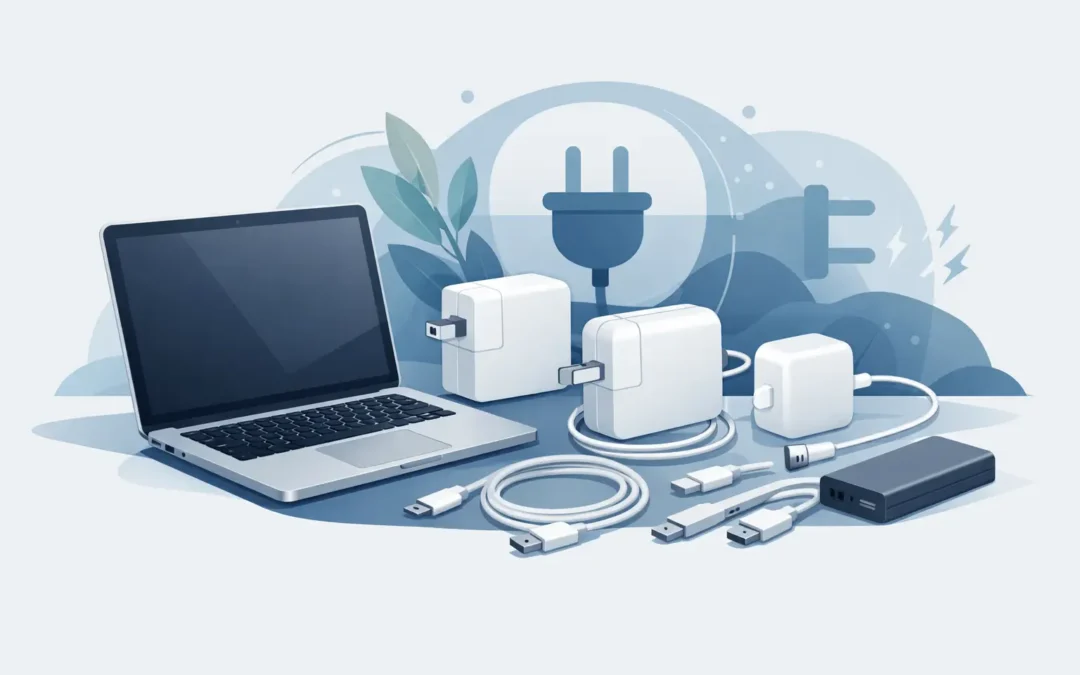
A MacBook charger usually becomes urgent at the worst possible time – right before class, during a work deadline, or when your battery is already under 10%. If you are shopping for the best MacBook replacement chargers, the right choice is not just about wattage or price. It is about getting dependable power that matches your exact MacBook model, charges safely, and holds up under daily use.
A lot of charger problems start with buying the first option that looks close enough. That is where people run into slow charging, overheating, loose connections, or adapters that stop working after a few weeks. A proper replacement should feel like a practical fix, not a gamble.
What makes the best MacBook replacement chargers?
The best MacBook replacement chargers do three things well. First, they match your MacBook’s required power output. Second, they use quality internal components that regulate voltage properly. Third, they are built with durable cables or ports that can handle repeated plugging, unplugging, and travel.
For most users, the biggest mistake is focusing only on connector type. A USB-C charger may fit physically, but that does not mean it delivers the correct wattage. The same goes for MagSafe chargers. If the connector snaps into place but the power delivery is wrong or inconsistent, your MacBook may charge very slowly or become unusually warm.
This is why model compatibility matters more than appearance. A MacBook Air, a 13-inch MacBook Pro, and a 16-inch MacBook Pro do not all have the same charging needs, even if some use similar connectors.
Start with your MacBook model and wattage
Before you buy anything, check your MacBook model and its recommended charger wattage. This step saves time and avoids expensive trial and error.
Apple has used several charging standards over the years, including MagSafe, MagSafe 2, and USB-C. Older MacBook Air and MacBook Pro systems often need 45W, 60W, or 85W MagSafe-style chargers. Newer USB-C models may use 30W, 61W, 67W, 70W, 87W, 96W, or 140W depending on the model and screen size.
If you use a charger with less wattage than your MacBook expects, it may still charge, but often much more slowly. In some cases, it may only maintain battery level during light use. If you use a quality charger with higher available wattage than required, the MacBook will generally draw only what it needs. That can be perfectly fine, but quality matters. A cheap high-watt charger is not safer just because the number is bigger.
If you are unsure, check the MacBook’s model information in system settings or on the bottom case. Matching that to the correct charger specification is always the safest route.
Original Apple charger vs third-party replacement
This is usually the first question customers ask, and the honest answer is that it depends on your priorities.
An original Apple charger is the straightforward choice if you want exact compatibility and you prefer not to think twice about fit and performance. For many users, especially professionals who rely on their MacBook every day, that peace of mind is worth the extra cost.
A third-party replacement can also be a solid option, but only if it comes from a reputable manufacturer and clearly states compatibility, wattage, and safety protections. The problem is not that every third-party charger is bad. The problem is that the market is full of low-quality units that look convincing online and fail quickly in real-world use.
If the price seems far below normal market value, be cautious. Chargers are not just cables with plugs attached. They manage power delivery to an expensive device, and poor build quality can create battery issues, charging instability, or adapter failure.
The 10 best MacBook replacement chargers to consider
If you are comparing options, these are the charger types and categories that usually make the most sense.
1. Genuine Apple USB-C power adapters
For newer MacBook models, Apple’s own USB-C adapters remain the benchmark for reliability. They are a strong fit for users who want dependable charging and minimal guesswork.
2. Genuine Apple MagSafe chargers
For older MacBook Air and MacBook Pro models that use MagSafe or MagSafe 2, an original charger is still one of the safest replacement options, especially if your previous one lasted for years.
3. Premium USB-C PD chargers from established brands
Well-known brands that support USB-C Power Delivery can work very well with MacBooks. These are especially useful for users who want one charger for both laptop and phone, or a second charger for travel.
4. High-watt USB-C chargers for MacBook Pro models
If you have a larger MacBook Pro, do not settle for a low-output adapter just because it is cheaper. A proper high-watt charger is the better long-term choice for performance and convenience.
5. Compact chargers for MacBook Air users
MacBook Air owners often do well with a smaller, high-quality charger that meets the correct wattage without adding bulk. This is practical for students, commuters, and anyone carrying a lighter setup.
6. Replacement MagSafe 2 chargers with verified compatibility
There are decent replacement options for MagSafe 2 systems, but this is a category where quality varies a lot. Buy only from a trusted seller that clearly identifies supported models.
7. USB-C chargers with removable cables
A charger with a separate USB-C cable can be easier to maintain. If the cable wears out, you replace the cable rather than the full adapter.
8. Desktop charging adapters with multiple ports
For office users, a quality multi-port USB-C charger can make sense if it still gives your MacBook enough dedicated power. The trade-off is that not every multi-port charger distributes power equally when several devices are connected.
9. Travel chargers with foldable plugs
Frequent travelers often want something compact. That can work well for MacBook Air and some smaller Pro models, but make sure portability is not coming at the cost of proper wattage.
10. Store-tested replacement chargers from a specialist retailer
This is often the smartest middle ground. Buying from a computer specialist gives you a better chance of getting the correct charger for your exact MacBook instead of a generic accessory with vague labeling.
What to avoid when buying a replacement charger
The fastest way to waste money is to buy a charger based only on connector shape and price. That approach causes most of the charging complaints people bring in.
Be careful with adapters that have no clear brand, no stated wattage, or packaging that only says things like compatible with laptops. That is not enough. You want clear specifications, proper labeling, and a seller who can tell you exactly which MacBook models the charger supports.
You should also avoid chargers with loose tips, fraying cables out of the box, inconsistent charging lights, or unusually high heat during basic use. Those are warning signs, not minor inconveniences.
Signs your MacBook charger needs replacement
Sometimes the problem is obvious. The cable is split, the connector is damaged, or the adapter no longer powers on. Other times, the signs are easier to miss.
If your MacBook only charges when the cable is held at a certain angle, if charging cuts in and out, or if the battery percentage barely moves even while plugged in, the charger may be failing. Excessive heat, a burning smell, or discoloration around the adapter should never be ignored.
It is also worth remembering that not every charging issue comes from the charger itself. A worn charging port, battery issue, or logic board fault can create similar symptoms. If you replace the charger and the problem continues, proper diagnosis matters.
How to choose the right charger with confidence
A good buying decision usually comes down to four checks: your MacBook model, the correct wattage, the connector type, and the quality of the seller. If all four line up, you are usually in good shape.
For many customers, the best option is not necessarily the cheapest or the most expensive. It is the charger that is correctly matched, safely built, and available from a business that understands Mac hardware. That matters even more if you use your computer for school, client work, office tasks, or daily business operations.
At Stealth PC Technology, that practical approach is what matters most. Customers do not need technical hype. They need the right charger, clear advice, and confidence that they are not risking a much more expensive repair later.
If your charger has failed or you are not sure which replacement fits your MacBook, take a careful approach now. A reliable charger keeps your device working. The wrong one can turn a simple accessory purchase into a much bigger problem.